A Joystick Controlled Smart Assistive Wheelchair# A Joystick-Controlled Smart Assistive Wheelchair
**Engineer:** Salimat Oluwatobi Akinwande — RDA Cohort 18
**Live Demo:** [Digital Twin](https://smart-assistive-wheelchair.onrender.com/) | **GitHub:** [smart-assistive-wheelchair](https://github.com/Salimahh/smart-assistive-wheelchair) | **Project Story:** [LinkedIn](https://www.linkedin.com/posts/salimat-akinwande_roboticsprojects-progress-learninginpublic-ugcPost-7461374283613745152-ERyA)
---
## Where it started
One day, during a walk, I saw a woman in a wheelchair being pushed by someone else. At first it seemed like another normal event, until I started to think about it. She wasn't going anywhere on her own terms. Every direction, every stop, every turn was someone else's decision. Probably only some slight verbal corrections. Since then, I wasn't able to stop thinking about it.
That's what got me here.
---
## The actual problem
There are millions of people who use wheelchairs. A good number of them can't self-propel a manual one because of their condition, so they depend on a caregiver for everything.
Motorized wheelchairs exist, but the common control methods have real limitations:
- **Gesture control** requires holding specific hand positions and remembering which gesture means what. For someone with limited motor control, that's exhausting. It also fails in poor lighting.
- **Voice control** fails anywhere noisy, and a hospital or busy home is never quiet. It also doesn't work for users with speech impairments.
- **Button control** gives you four directions: forward, backward, left, right, with nothing in between. Real movement doesn't work like that.
A joystick gives you proportional control. Push a little, move a little. Push to the side while moving forward and you curve naturally. It maps to how people actually think about moving.
The other problem is that none of these systems know when something is wrong. If the wheelchair tips on a ramp or the user is about to fall, nothing happens. No alert, no cutoff, nothing. This project adds that too.
---
## What I built
A manual wheelchair converted to motor drive, controlled by a joystick, with a gyroscope watching for dangerous tilt angles.
### The control system
An analog joystick connects to an Arduino Uno. The Arduino reads the joystick position, maps it to motor speed values, and sends signals to two ZS-X11H motor drivers, one for each rear wheel. The steering is based on differential drive: if both wheels spin at the same speed you go straight, if one spins faster you turn.
```cpp
int leftSpeed = constrain(mapY + mapX, -255, 255);
int rightSpeed = constrain(mapY - mapX, -255, 255);
```
Two lines. That is the steering logic.
### The safety system
An MPU6050 gyroscope sits on the frame and reads pitch and roll continuously. If tilt goes past 45 degrees, the Arduino cuts power to both motors immediately and triggers a buzzer and LED.
```cpp
if (abs(pitch) > 45 || abs(roll) > 45) {
analogWrite(speedPinL, 0);
analogWrite(speedPinR, 0);
digitalWrite(buzzerPin, HIGH);
}
```
### The digital twin
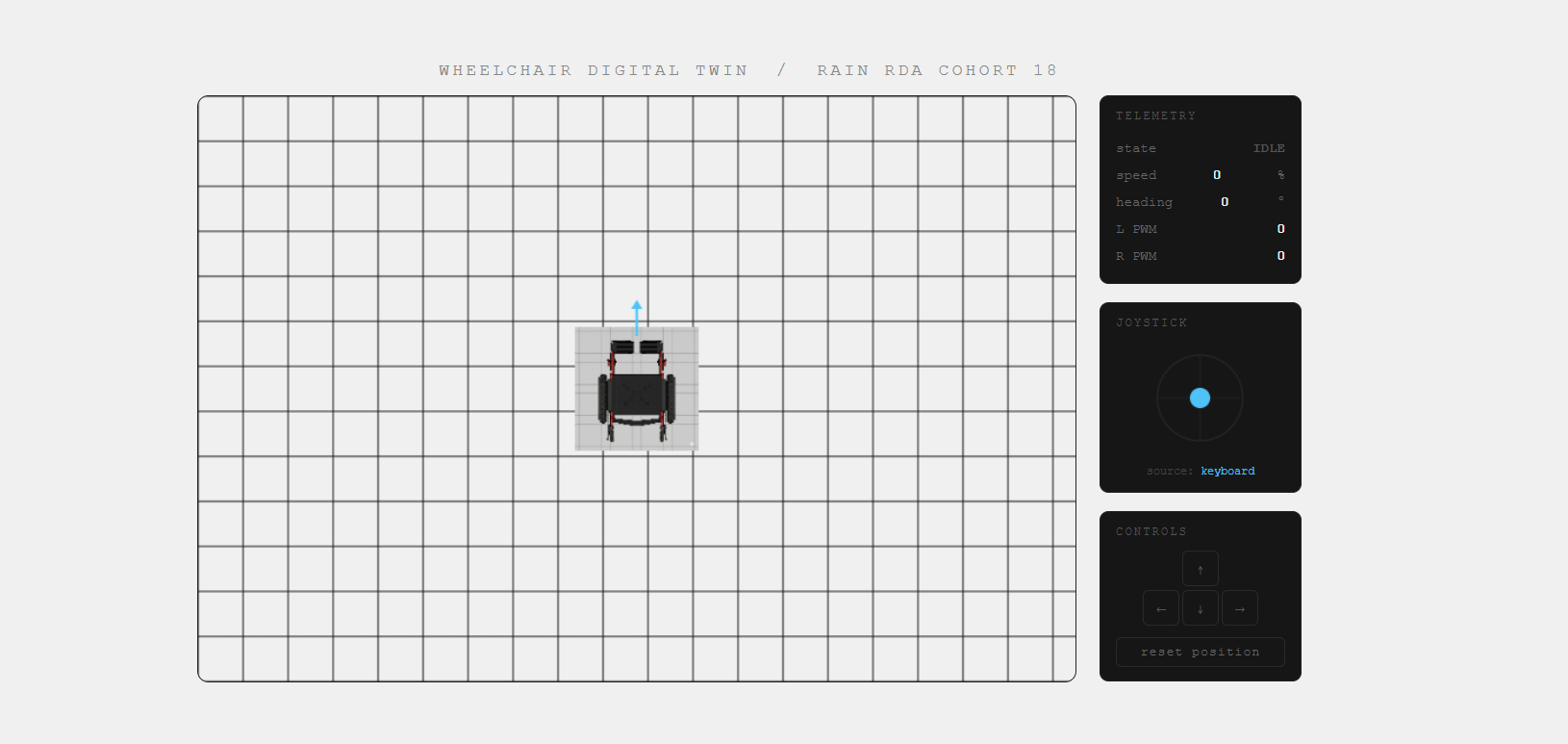
While the physical build was going through its problems, I built a browser-based simulation that mirrors joystick input in real time. The Arduino sends X and Y values over serial, a Python script forwards them through a WebSocket, and a top-down 2D wheelchair moves in the browser.
---
## Hardware
| Component | What it does |
|-----------|-------------|
| Arduino Uno | Reads joystick, calculates speeds, outputs PWM signals |
| ZS-X11H V2 drivers x2 | Converts Arduino logic to actual motor power |
| BLDC hub motors x2 | Drive the rear wheels |
| 36V Li-ion battery (144Wh) | Powers the whole system |
| MPU6050 IMU | Monitors tilt for fall detection |
| 2-axis analog joystick | User input |
---
## What actually happened
I thought getting the motors welded to the frame was the finish line for Phase 1.
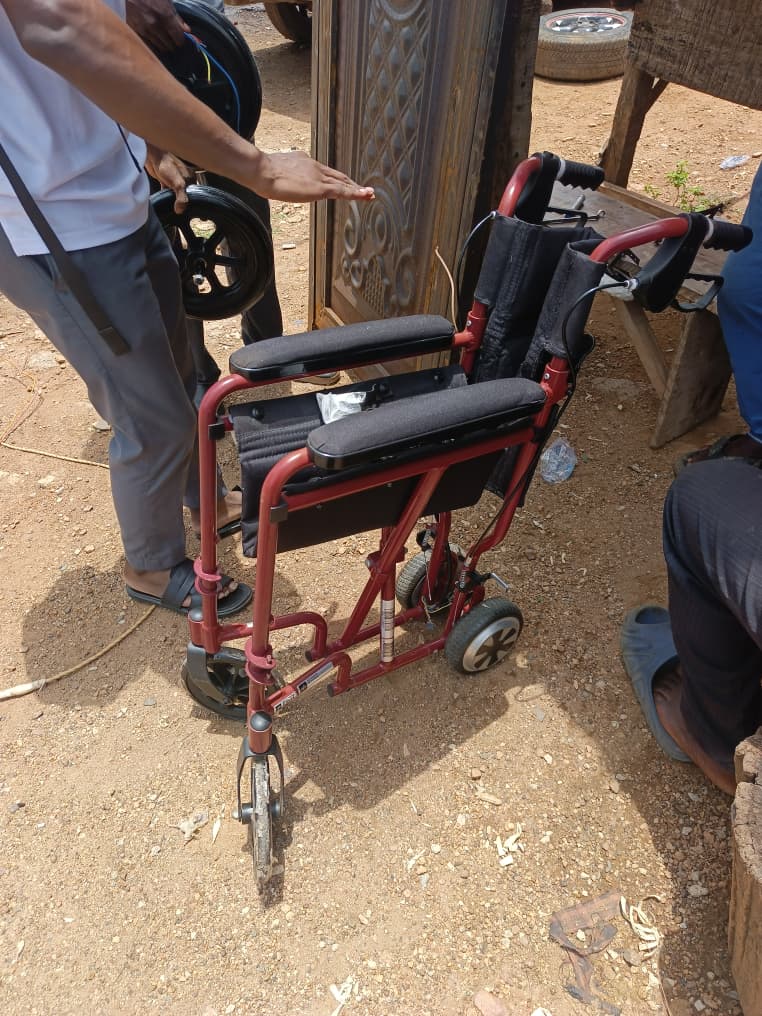
It wasn't close. The hub motors were smaller than the front casters, so when they were welded on the back of the chair sat lower than the front. Anyone sitting in it would be tilted backward. For someone with a spinal or muscular condition, maintaining that posture causes real harm. The whole mechanical setup had to be reworked. The fix was nesting the hub motors inside the original rear wheels, which brought everything back to level.
Then came the electronics.
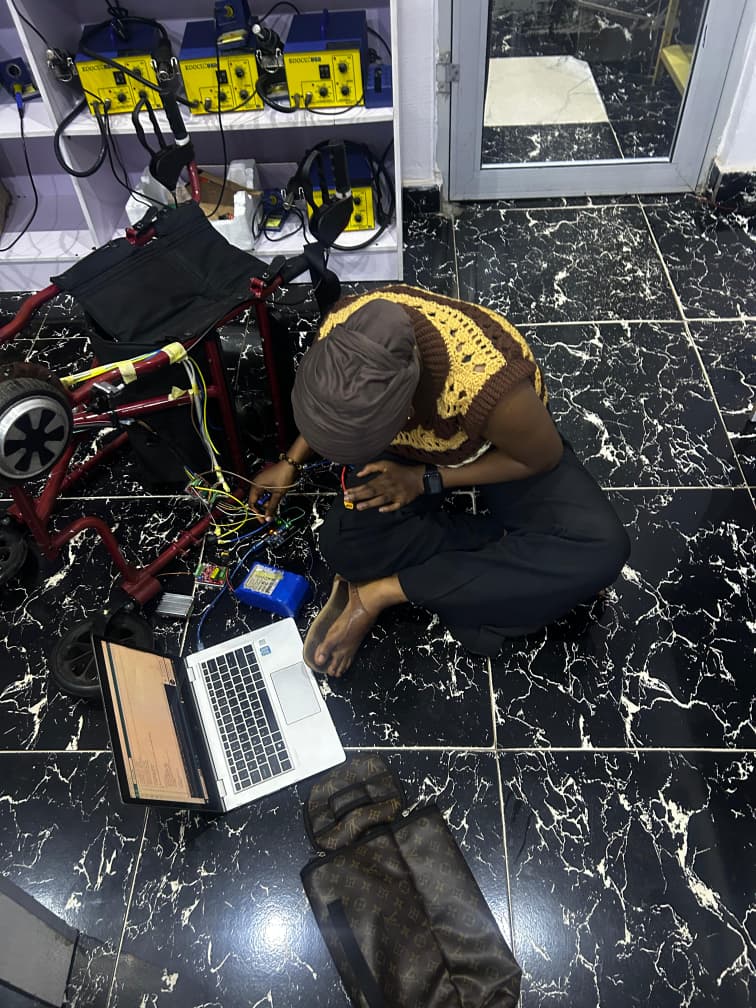
Four of the ZS-X11H motor drivers burned during testing. The first ones went because of a shorted motor that pulled too much current and killed the MOSFETs. One motor would vibrate without rotating, which turned out to be a broken Hall sensor wire. Hall sensors tell the driver which phase to fire next, so one broken wire out of five shuts down the whole commutation cycle. Another motor ignored the Arduino entirely because the driver's onboard potentiometer had hardware priority over the external PWM signal.
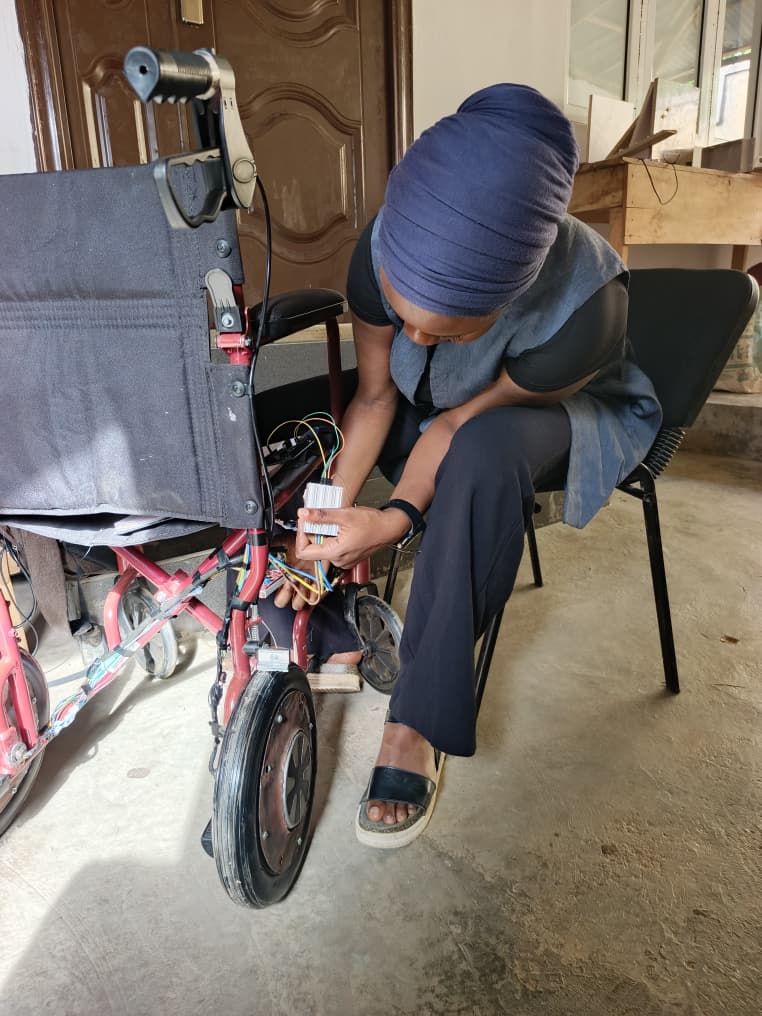
Every session had something. And every time something broke, I had to go back to the component level and figure out exactly what failed and why before touching anything else.
---
## Where things stand
- Wheelchair frame mechanically converted
- Hub motors welded and correctly elevated on frame
- Full control logic simulated and validated in Proteus 8
- Joystick serial readings confirmed at 115200 baud
- Digital Twin built and deployed live
- Dual motor bench test in progress (new drivers sourced)
- MPU6050 physical integration on frame (next step)
- Full joystick and motor test on bench (next step)
---
## What comes after
**IoT caregiver alerts** — a GSM module that sends an SMS to a designated contact if a fall is detected. Right now the alarm is local. The goal is for it to reach whoever needs to know, wherever they are.
**Live location tracking** — GPS module paired with a web dashboard so a caregiver can see where the wheelchair is in real time.
**ROS/Gazebo digital twin** — a full 3D model that receives live telemetry from the Arduino and renders the wheelchair's actual movements in simulation.
---
## Try the demo
The digital twin runs in any browser. No hardware needed.
[Open Digital Twin](https://smart-assistive-wheelchair.onrender.com/)
If you have an Arduino and joystick, clone the repo, run `bridge.py`, and the simulation responds to your actual joystick input.
[GitHub Repository](https://github.com/Salimahh/smart-assistive-wheelchair)

 RAIN
